Device Details
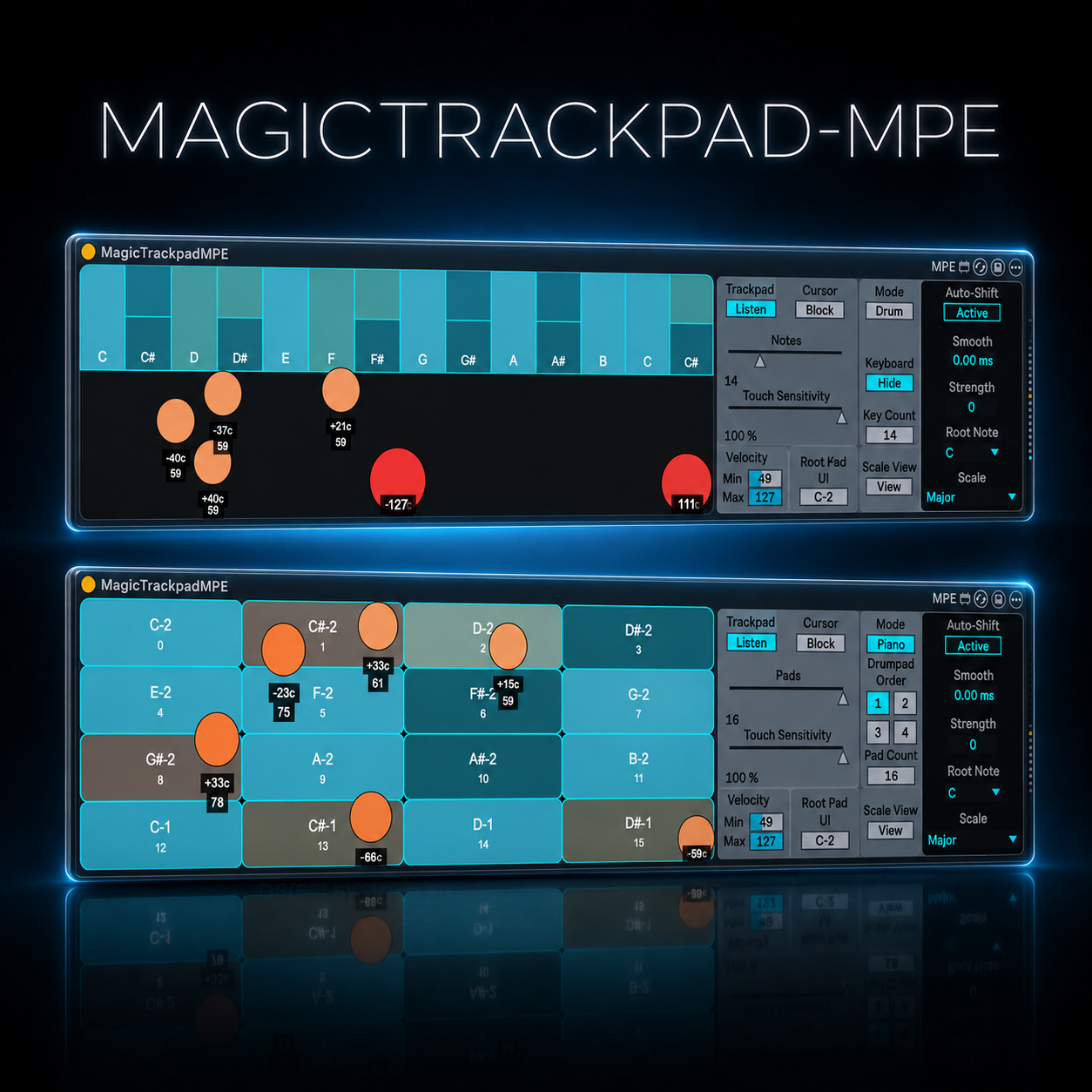
Overview
| Name | Version: | MagicTrackpad-MPE 1.0 |
| Author: | OSTINSOLO |
| Device Type: | MIDI Effect |
| Description: | MagicTrackpad-MPE turns your trackpad into an expressive MPE instrument that integrates with Ableton Live Suite. Play up to 10 voices/notes on macOS and up to 5 voices/notes on Windows, using the natural movement of your fingertips to transform your trackpad into a responsive musical surface. It can work as a keyboard or as a drumpad, depending on your needs. Each touch can trigger different notes, control velocity, and apply MPE-style expression, giving you a more physical and intuitive way to perform. With the Auto-Shift feature, you do not have to worry about staying inside the selected scale. The device keeps your performance in key while you experiment with movement, pressure, and pitch bending. A creative tool for Ableton Live users who want an innovative, tactile, and experimental way to play melodies, chords, drums, and MPE expressions directly from the trackpad. |
Details
| Live Version Used: | 12.0.5 |
| Max Version Used: | 8.6.2 |
| Date Added: | May 28 2026 15:21:45 |
| Date Last Updated: | No Updates |
| Downloads: | 0 |
| Website: | https://ostinsolo.co.uk/devices/MagicTrackpad_MPE |
| ⓘ License: | None |
Average Rating
Log in to rate this device |
-n/a- |
Comments
curious about this. any set up details? lock/unlock the cursor or do ya just enable then disable the M4L device to make it work?
Posted on May 28 2026 by dayjob |
Report Issue
There is a button you can map to lock the cursor, and I suggest using a key or MIDI controller for this. This keeps the pointer away from the lock buttons, as when the button lock is active, the cursor stops moving. Playing with the trackpad might then accidentally click and unlock it.
Posted on May 28 2026 by OSTINSOLO |
Report Issue
Login to comment on this device.
Browse the full library