Device Details
Overview
| Name | Version: | BetterUI 1.0.0 |
| Author: | SillyFryTools |
| Device Type: | Audio Effect |
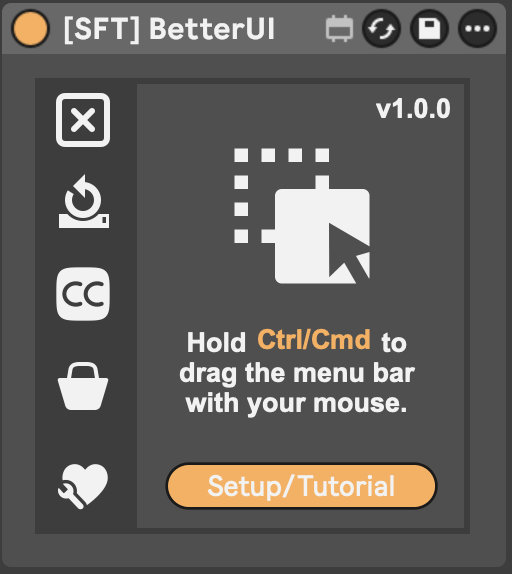
| Description: | WHAT IS BETTERUI? BetterUI is designed to bring several utility workflows into one integrated device that feels as close as possible to being part of Ableton Live itself. It brings together many small but powerful features I always missed in Ableton Live — automatic coloring, session cleanup, timecode display, marker management, external sync, tablet control, and more. --------------------------------- WHAT IT DOES • Automatic track and clip coloring by name Keep your sessions organized instantly with smart color assignment based on names. • Clean up your session with one click Remove deactivated devices, muted clips, and empty tracks quickly and easily. • Track your working time in Ableton See how long you have been working on your set or project. • Output LTC and MTC in any frame rate Sync Ableton Live with other software and external systems reliably. • Show timecode anywhere in your set Add a visible timecode display to Ableton’s menu bar or place it wherever you need it in your project. • Create markers with a simple shortcut Manage them in a clear list view, jump between markers, add notes, and attach webhooks to trigger actions like controlling lights in your studio or room. • Control Ableton Live from your tablet or phone Use Mira to interact with your set remotely. • Edit Options.txt features with ease Enable experimental Ableton features without manually editing text files. • Collapse all windows for a full session overview Instantly create more visual space and keep focus on what matters. Tested with Ableton Live 12.3.6 --------------------------------- INSPIRATION BetterUI was built independently. However, the Max for Live community has many great devices that solve specific workflow problems, and some of them inspired me to think about certain workflow ideas. If you are looking for smaller, dedicated tools that focus on one specific feature, please also check out and support these developers: • Timer 1.0 by Sonder https://maxforlive.com/library/device/8998/timer • SessionCleaner by LiveWorkflowTools https://maxforlive.com/library/device/10003/liveworkflowtools-session-cleaner • Auto Track Colors by LiveWorkflowTools https://maxforlive.com/library/device/6739/liveworkflowtools-auto-track-colors • ClipGain by Crampe https://maxforlive.com/library/device/6720/clipgain-under-your-mouse • LTC Display by Leolabs 1.0 https://maxforlive.com/library/device/9078/ltc-display-by-leolabs --------------------------------- TECHNICAL REFERENCES The following tools and resources were helpful references while developing certain technical features in BetterUI: • Transport Time by Dirty Secrets https://dirtysecretz.gumroad.com/l/transport-time • LiveMTC by Showsync https://support.showsync.com/sync-tools/livemtc/introduction • fp.Time 2.5 by eltnet https://maxforlive.com/library/device/4558/fp-time --------------------------------- SIMILAR TOOLS Here are some more devices I only became aware of after building BetterUI. They also offer individual features that overlap with parts of BetterUI and are worth checking out: • Ableton Secret Tin by Ostin Solo https://ostinsolo.co.uk/devices/Ableton-Secret-Tin • Locator Manager by KILLIHU https://isotonikstudios.com/product/locator-manager-by-killihu/ |
Details
| Live Version Used: | 12.0.5 |
| Max Version Used: | 8.6.2 |
| Date Added: | Apr 12 2026 22:48:34 |
| Date Last Updated: | Apr 30 2026 18:51:12 |
| Downloads: | 0 |
| Website: | https://shop.silly-fry-tools.com/b/QzcAh |
| ⓘ License: | Commercial |
Average Rating
Log in to rate this device |
-n/a- |
Login to comment on this device.
Browse the full library