Device Details
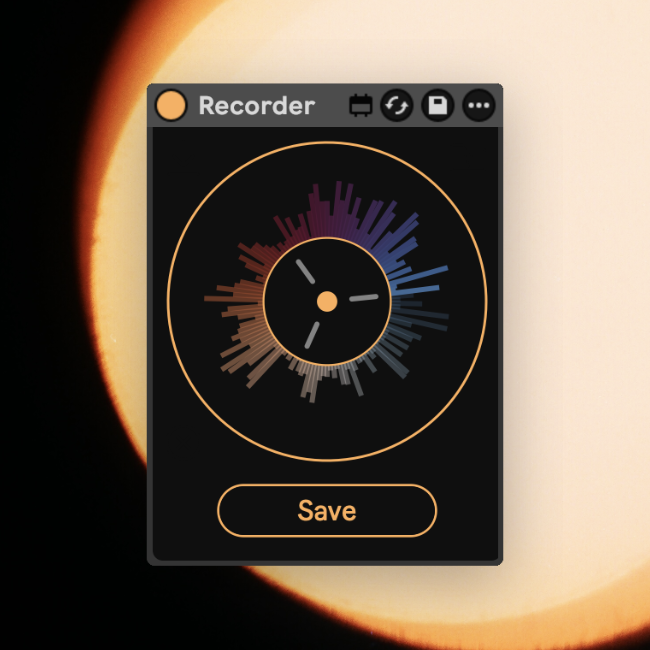
Overview
| Name | Version: | Recorder 1.5 |
| Author: | meownoid |
| Device Type: | Audio Effect |
| Description: | Recorder brings a fast resampling workflow to Ableton Live. Place it on the Master track for best results, and it will continuously keep the last 40 seconds of your set ready to capture. Press the Save button at any moment to write that recent audio to disk; the button can be mapped to a keyboard shortcut for quick hands-on resampling. Saved recordings are written into your Live Set project folder at: Samples/Recorded/recorder_YYYY-MM-DD_HH-MM-SS-ms.wav The Live Set must be saved before Recorder can save audio files, because it uses the saved set location to create the Samples/Recorded folder. |
Details
| Live Version Used: | 12.4 |
| Max Version Used: | 9.1.4 |
| Date Added: | May 20 2026 22:39:54 |
| Date Last Updated: | Jun 21 2026 21:15:33 |
| Downloads: | 390 |
| ⓘ License: | AttributionNonCommercialShareAlike |
Average Rating
(1) Log in to rate this device |
5 |
Files
| Device File: | Recorder.amxd |
Comments
does it record the tail end of stuff even after stop has been pressed?
Posted on May 21 2026 by couchtrax |
Report Issue
@couchtrax I just tested, and yah it does!
Theres also a plugin called Rolling Sampler that can record for much longer time frames, if you find the 40 seconds this does to not be long enough. Rolling sampler can also work in any DAW or even record system audio. However, this is great, and free.
Thanks meownoid!
Theres also a plugin called Rolling Sampler that can record for much longer time frames, if you find the 40 seconds this does to not be long enough. Rolling sampler can also work in any DAW or even record system audio. However, this is great, and free.
Thanks meownoid!
Posted on May 21 2026 by shinytheshiny |
Report Issue
Login to comment on this device.
Browse the full library